Triangle
objects in your applet and draw them to produce a display similar to
the pine tree shown below.
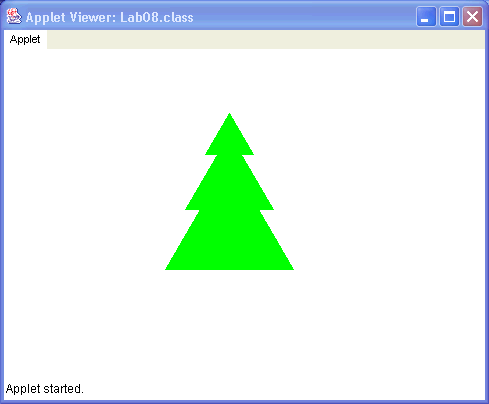
You'll do this lab with class.
Download the Lab 8 jar file and save it into the directory csci/201. Extract the archived files to create the directory csci/201/Lab08. In case you have forgotten how, consult Downloading a Java archive from Lab 2.
Open the jGRASP project file Forest.gpj that
you just extracted. Notice that the project contains
an html file Forest.html. This means
we'll be developing an applet this week. There's also
a Java code file Forest.java. You'll be extending
this file. Finally, there's a compiled Java bytecode file
Triangle.class. You'll use the Triangle
class, but you will not modify it.
During the course of performing this lab, you'll create a new
class called Tree and add it to your project.
The code for the class Triangle
of package edu.unca.cs.csci201.LabAids is shown below.
Study the comments of this code for a moment.
You'll need to use the methods of Triangle
to complete this assignment.
package edu.unca.cs.csci201.LabAids;
import java.awt.*;

public class Triangle
{
  // This class creates an upward-pointing equilateral triangle.
  // Each triangle is specified by the coordinates of its top
  // corner, the length of its sides, and its color.

  private Color color;
  private Polygon triangle;

  public Triangle(int x, int y, int length, Color c)
  // x and y are the coordinates of the top corner of the triangle,
  // length is the length of its sides, and color is is the fill Color
  {
    int[] xpoints = {x, x-length/2, x+length/2};
    int[] ypoints = {y, y+(int)(0.866*length), y+(int)(0.866*length)};
    triangle = new Polygon(xpoints, ypoints, 3);
    color = c;
  }

  public void draw(Graphics g)
  {
    g.setColor(color);
    g.fillPolygon(triangle);
  }

}
Now take a look at the code of Forest, our applet class.
The applet, in its
incomplete state, contains one instance variable, triangleA.
You will want to use that variable when you create
the first Triangle object.
In Lab 4
and Lab 6,
you designed applets containing a single method paint.
The paint method is called whenever the applet
needs to display (or redisplay) its windows.
The class Forest contains an additional methods
init which is called when the applet is first
loaded into the browser. Usually init creates
objects used by the applet.
Now that you are familiar with the setup, create three Triangle
objects in your applet and draw them to produce a display similar to
the pine tree shown below.
Show your lab instructor the lonesome pine tree.
Now that you are good at drawing the top of a tree, try drawing a
complete tree by adding a tree trunk.
Insert a call to the
fillRect
method of the Graphics object into the applet's
Paint() method to do this.
The fillRect method should be familiar.
You used it in Lab 4.
Make the tree trunk grey as shown below.
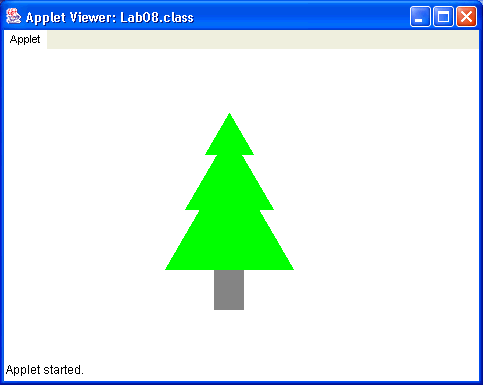
Now that you can make a tree, why not make a Tree class
so that it would be easy to create a whole forest of trees. Add a new
class to your project and call it Tree. Make the
Tree class public.
Since it will use Triangle, you must make sure
to import edu.unca.cs.csci201.LabAids.Triangle
along with all the classes of the
java.awt package.
Now, copy the contents of the Forest class into your
Tree class and change the names of its two methods. Make the
init method be the Tree class constructor,
and change the
name of paint to draw. Just making these
simple changes should create a Tree class that can be used
to draw a single tree.
Now modify the Forest applet to create a
single Tree object and draw it.
Show your lab instructor the classy pine tree.
However, what you want to do is draw multiple Tree
objects and allow each object to be positioned at a different location
and have a different color.
In order to do that, we have to introduce additional
state variables to the Tree class allowing
us to give a unique position, and color to
each Tree object. These variables must then be used to position the
triangles and rectangle that form the tree, as well as color the
triangles.
Make the changes described above to the Tree class, and then
draw three trees similar to those shown below.
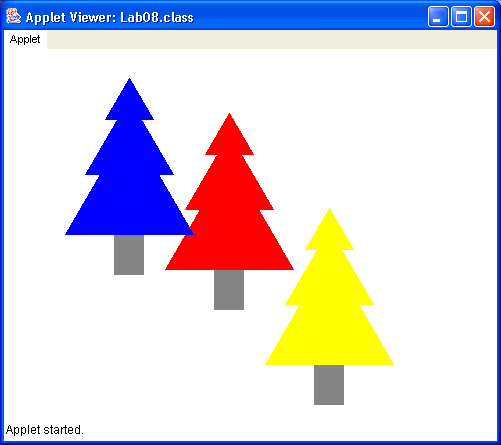
Show your lab instructor a forest with at least three trees of different colors.